Website Design for Day Care Centres
Most families choose a centre in short bursts: a few minutes on a lunch break, a few more once the kids are in bed, three or four centres open side by side. They want to know whether there is a place in the nursery on Tuesdays and Thursdays, what the gap fee comes to after Child Care Subsidy, and whether your rooms feel like somewhere their child would settle. We build websites for early learning centres that answer those questions before the phone rings, so the tour can be spent on what only a visit shows: your educators with the children, the feel of each room and how drop-off works.
Nobody enrols without walking through the gate
Families rarely enrol without a tour, and most centres lose them one step before it. The fees sit behind a phone call, the room photos are stock images of someone else's children, and the enquiry form wants a date of birth, a CRN and an immunisation history before anyone has said hello. Show your own rooms, publish your fees and let a family book a tour in under a minute, and the parents who walk in already have a fair idea they want a place.
Built around how your customers actually search and book
A section for every room, nursery to kindy
Nursery, toddlers, junior kindy, pre-kindy and kindergarten each get their own section, set out the way your educators explain it at orientation: the age range, the educator-to-child ratio, a typical day from arrival to home time, and the learning focus for that stage of development. Families look for their own child's room first, and it is the page they forward to their partner.
Safety and quality, stated plainly
Your National Quality Standard rating, Blue Cards, first aid, asthma and anaphylaxis training, secure entry and authorised collection, sleep and rest checks, and photos taken on centre devices only. These are the policies families ask about at the front desk, and they belong on the page before anyone has to ask.
Fees with the subsidy worked through
Daily fees by room and what they include (nappies, meals, sunscreen, incursions), a worked example of the gap after Child Care Subsidy, and a clear note on Free Kindy for children who turn four by 30 June. Families do the maths either way; showing it saves your office the same call every week.
A tour booking that asks for almost nothing
A name, a contact number, the child's age and the days the family is after. Enrolment forms, the CRN and the immunisation history come later, once they have seen the centre. We connect the form to whatever you already use, from the centre inbox to your childcare management software.
Found by families two suburbs over
Most enquiries start with "childcare near me", "day care" or "kindy" plus a suburb, and plenty are typed near work rather than home. We build the room, fee and kindy pages around those searches, add local schema, and match your Google Business Profile hours and address to the site word for word.
Photos of your rooms, handled with care
Your own learning spaces, yard and educators rather than stock imagery. Children appear only where families have given photo consent, or from behind and at a distance, in line with your photo and media policy. We set up the gallery so the director or educational leader can refresh it each term.
Design concepts built for this industry
Style explorations we've already designed for day care centres, a look at the range before you sign on.
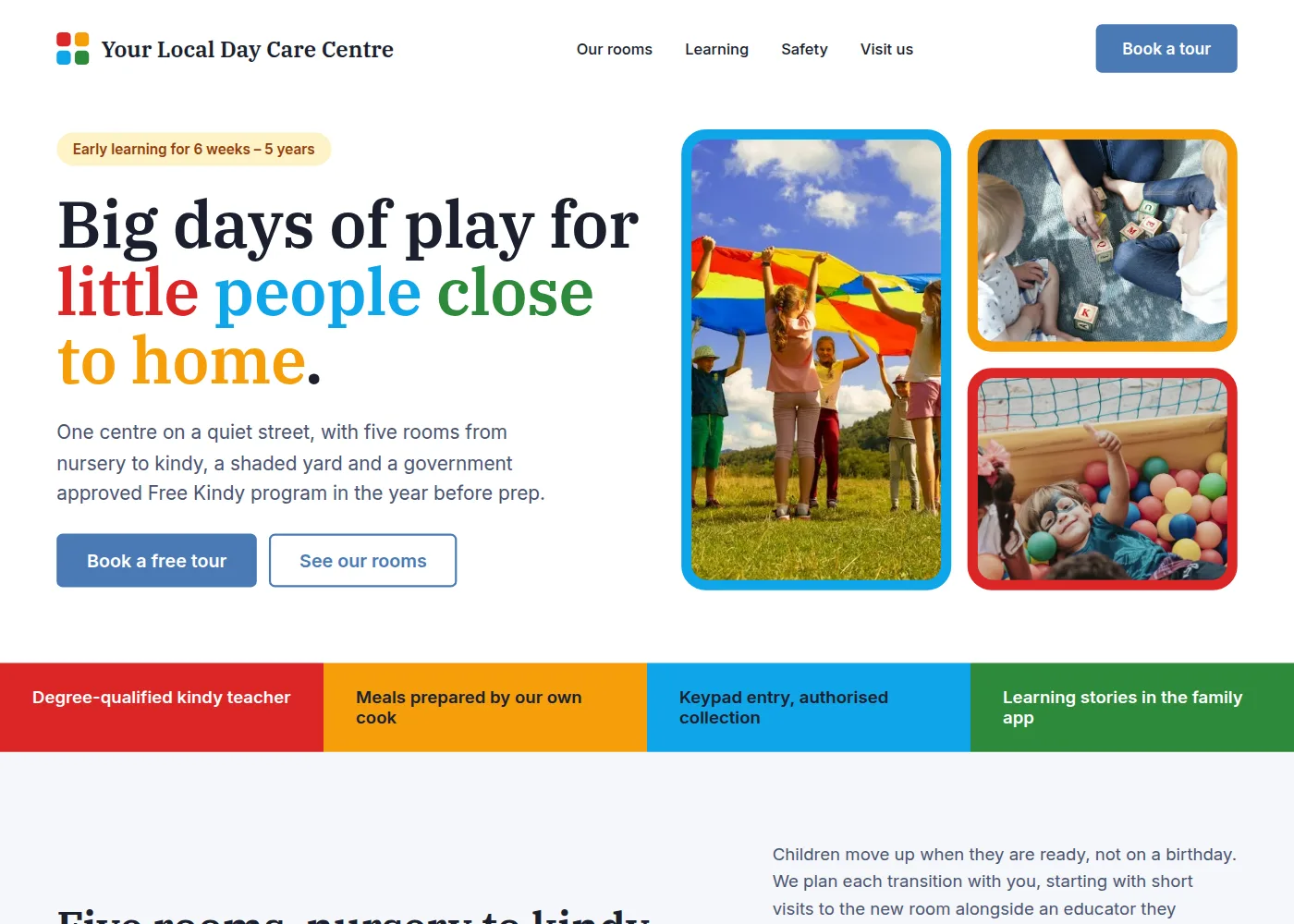
Your Local Day Care Centre: Colour Blocks
A bright, toy-box layout built on four primary colours, with framed photo tiles, a detailed section for each of five rooms (ratio, typical day, learning focus) and a colour-strip of the things parents ask about first.
Preview this style ↗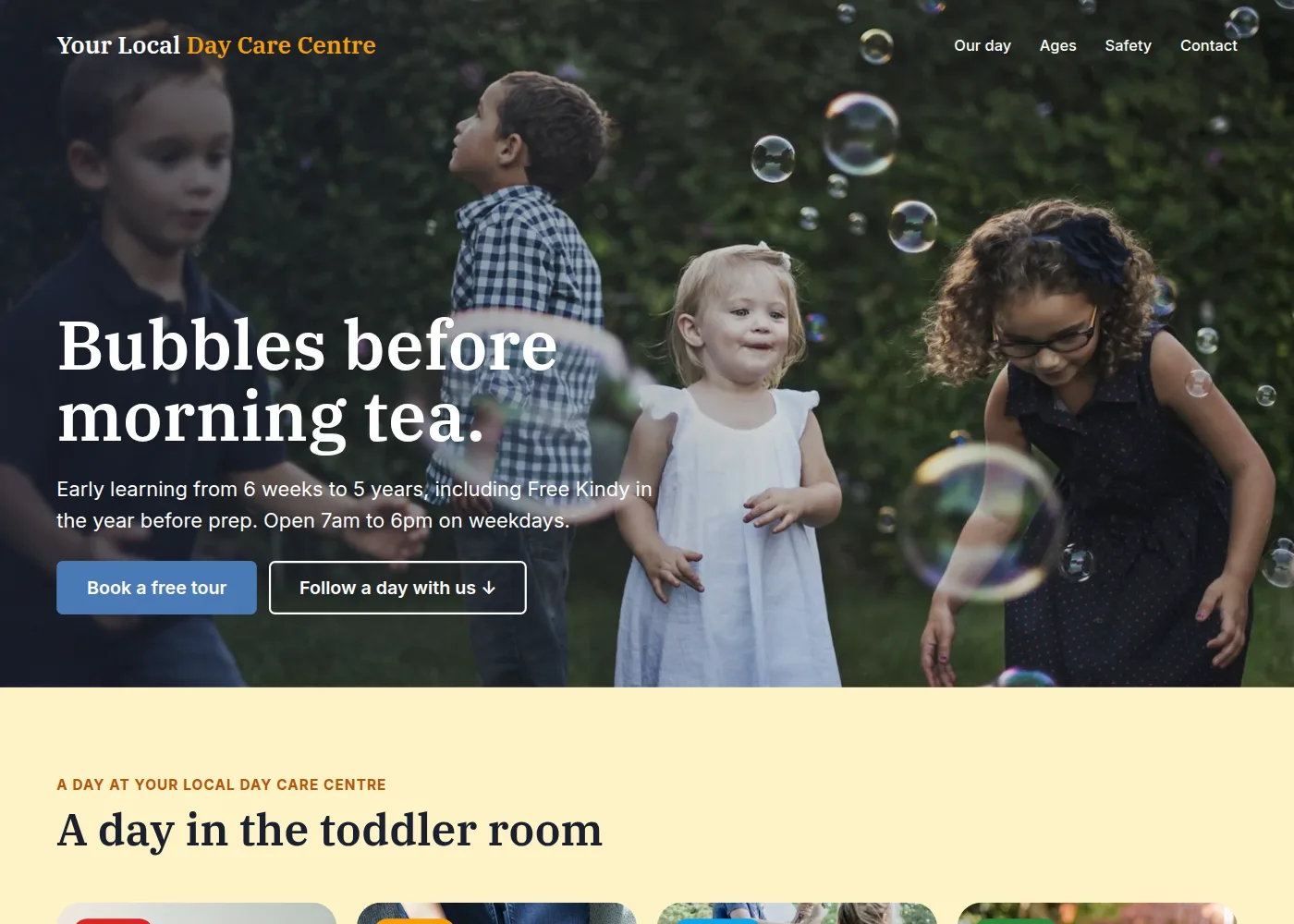
Your Local Day Care Centre: A Day at Day Care
A photo-led story that walks a parent through a day in the toddler room, from arrival to home time, then the five rooms by age, before landing on safety and a tour booking.
Preview this style ↗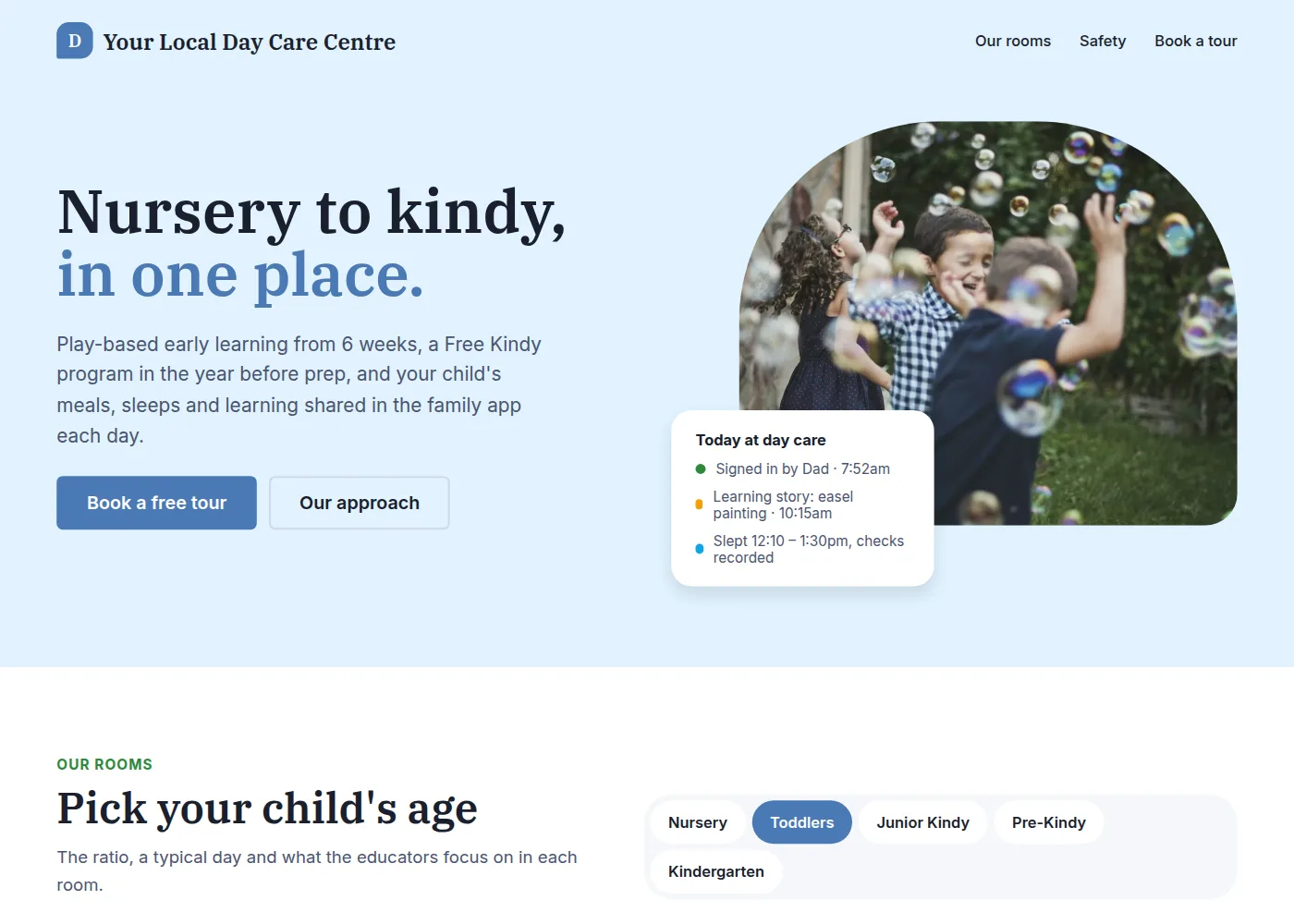
Your Local Day Care Centre: Safe & Growing
An interactive take with a working room switcher that shows each room's ratio, typical day and learning focus, a safety promise grid and a tour request form.
Preview this style ↗Common questions
Can the site show which days have vacancies?
Yes, and it is worth doing. Most centres carry a waitlist in the nursery for Mondays while the kindy room has spots on Fridays. A simple vacancy table by room and day, updated weekly by the director, points enquiries at the places you can fill. If your childcare management software can publish availability, we pull it from there instead.
Our fees change every July. How do we keep the page right?
The fees live in one table that you edit, and every page that quotes a fee reads from it, so the July increase takes five minutes. We add a 'current from' date beside the table and a worked example of the gap after Child Care Subsidy, because a daily fee on its own tells a family very little.
We are one centre, not a chain. Can we compete with the big providers online?
On the searches that matter, often better. The large providers win on brand and lose on specifics: their pages are templates with the suburb swapped in. A single centre can show its own director and educational leader, its own yard and families who have moved with you from the nursery to kindy, and that local detail is what both parents and search engines reward.
How do you handle photos of the children?
By your photo and media policy. We work from images you already hold consent for, favour shots of rooms, hands and experiences over faces, and never publish names alongside photos. Where you would rather not show children at all, we build the page around your learning spaces and your educators instead.
Ready for a website built for your business?
Get a free, no-obligation quote. Tell us about your centre and we'll get back to you within 24 hours.
Get a Free Quote